

Guidewire API Testing vs UI Testing: Differences with Examples
Navigate through this article using the table of contents below
Table of Contents
No headings found in this article.
A policy gets bound, the screen shows a green confirmation banner, and the tester signs off. Two days later, billing finds the premium was written to the wrong account. The screen looked fine because the screen was never where the bug lived. That gap is why Guidewire API testing vs UI testing is a real decision for every QA team, and it is a topic that learners on Guidewire training in Chennai run into early.
Both approaches check whether InsuranceSuite behaves correctly, but they look at different layers. Knowing which layer to test, and when, saves weeks of rework.
What Each Testing Layer Actually Checks
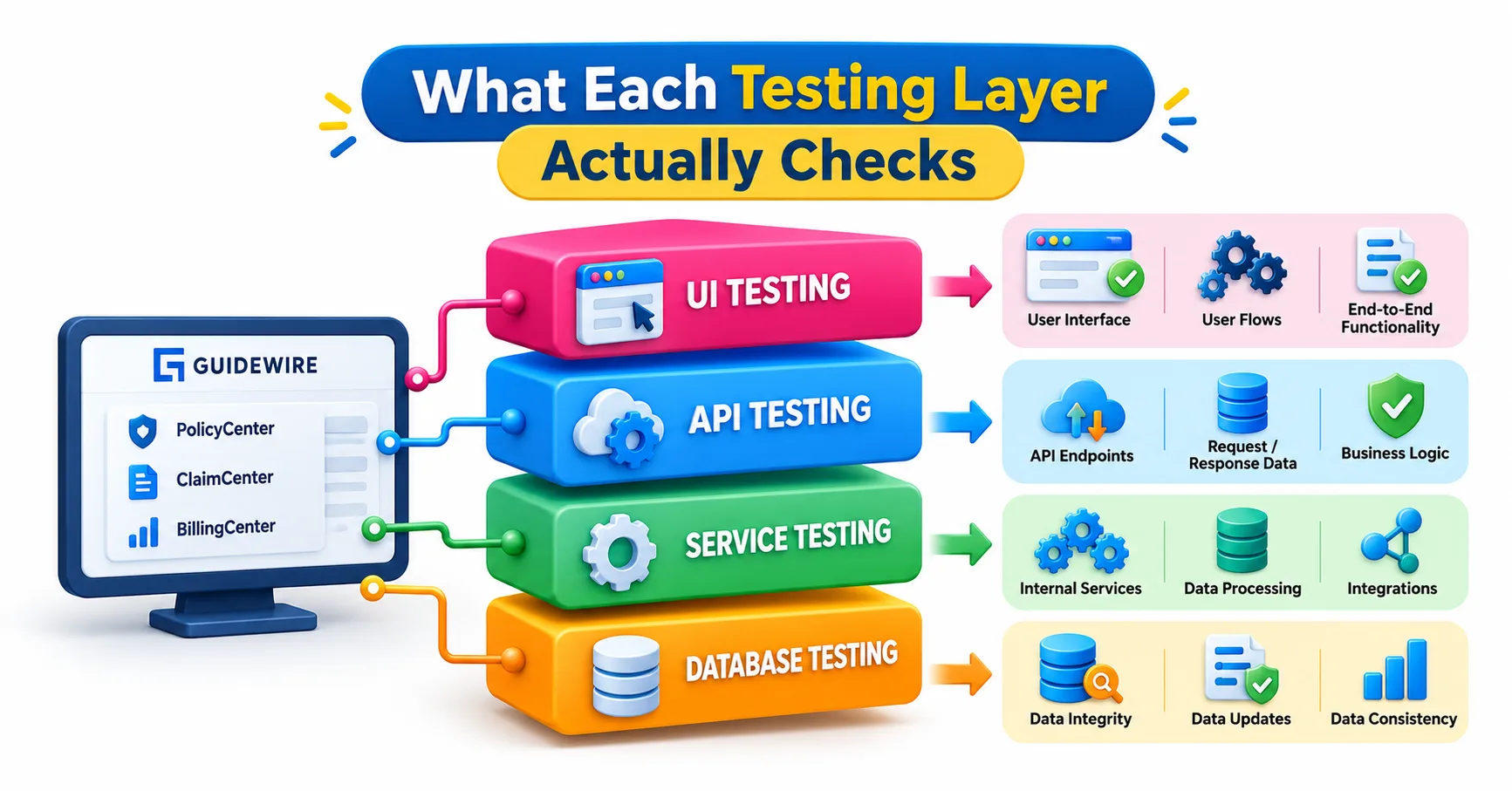
Think of a Guidewire application as a restaurant. The UI is the dining room: menus, waiters, the table setting. The API is the kitchen’s order window, where requests go in and finished plates come out.
UI testing drives the application the way a person would. A script or tester logs in, opens a screen, fills in fields, clicks buttons and confirms what appears. It validates the whole chain from browser to database, including layout, field validations, navigation and screen-level rules defined in PCF files.
API testing skips the screen entirely. It sends a request straight to a service endpoint and inspects the response: status code, returned data, error messages and the state of records afterwards. In current Guidewire Cloud releases, that mostly means the Cloud API, a REST interface available across ClaimCenter, PolicyCenter and BillingCenter. Older projects may also test SOAP web services or messaging integrations.
Guidewire’s own Testing Framework reflects this split. It offers separate API Testing and UI Testing components, both built around behavior-driven development, where scenarios are written in plain language.
A Side-by-Side Look at the Differences
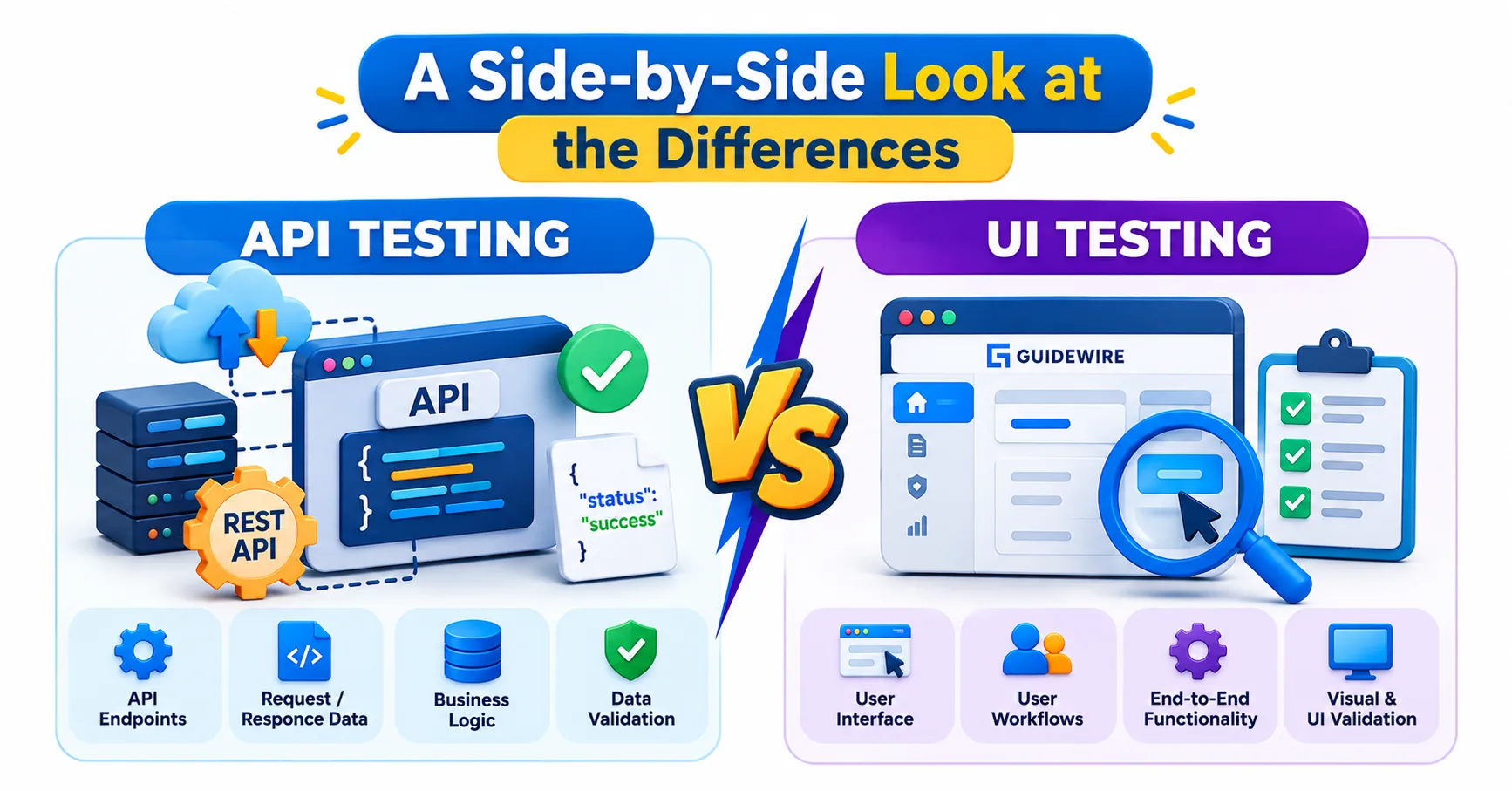
The easiest way to feel the difference is to follow one task through both layers. Take “create a first notice of loss in ClaimCenter.”
At the UI layer, a test opens the New Claim wizard, picks a policy, enters loss date and description, steps through each page and submits. Success means the claim number appears on screen. At the API layer, a test posts a claim payload to the Cloud API and checks that the response carries a claim ID, then fetches the claim back to confirm the stored values match.
Several practical differences follow from this:
Speed: An API call returns in a fraction of a second, while a UI flow must wait for pages to render and elements to load.
Stability: UI scripts break when a button moves or a locator changes. API contracts change far less often.
Coverage: APIs reach business rules and data states quickly. Only the UI can prove that a field is visible, correctly labeled or usable.
Debugging: An API failure points at a request and a response. A UI failure could mean a bad locator, a slow page or a real defect.
Skills needed: API testing leans on JSON, HTTP and authentication. UI testing leans on locators, waits and browser behavior.
None of this makes one approach better. They answer different questions.
Where API Testing Earns Its Place in a Guidewire Project
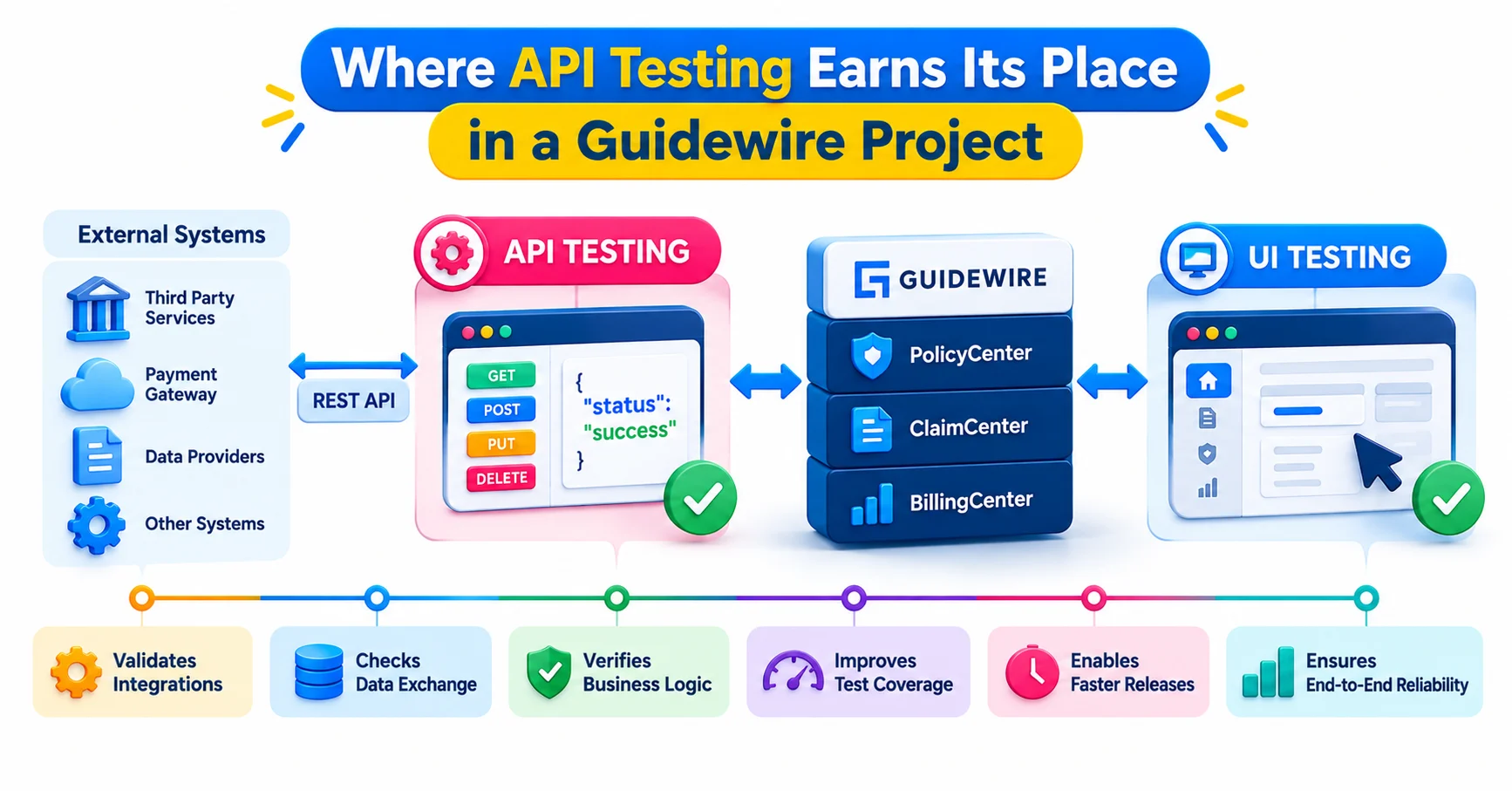
API testing shines wherever business logic lives below the screen, which in Guidewire is a lot of places. Rating calculations, underwriting rules, claim validation, billing allocation and integrations with outside systems all run behind the interface.
Consider a hypothetical PolicyCenter example. A team wants to confirm that a submission with a driver under a certain age triggers a referral to underwriting. Through the UI, a tester must build the whole submission by hand, page by page. Through the API, the same scenario can be set up in one request and repeated with fifty different ages in minutes.
Cloud API testing also handles test data well. You can create accounts, policies or claims directly, then hand that prepared data to a UI test that only needs to verify one screen. Guidewire’s Testing Framework supports this idea with Karate-based API scenarios and test data management.
For manual and exploratory work, Guidewire recommends Postman for sending Cloud API requests, and it advises using Swagger UI only for viewing API definitions. A related tip: avoid calling the API from Swagger UI on the same machine where you are logged into the application interface, because the two can clash over a shared session.
Where UI Testing Still Matters
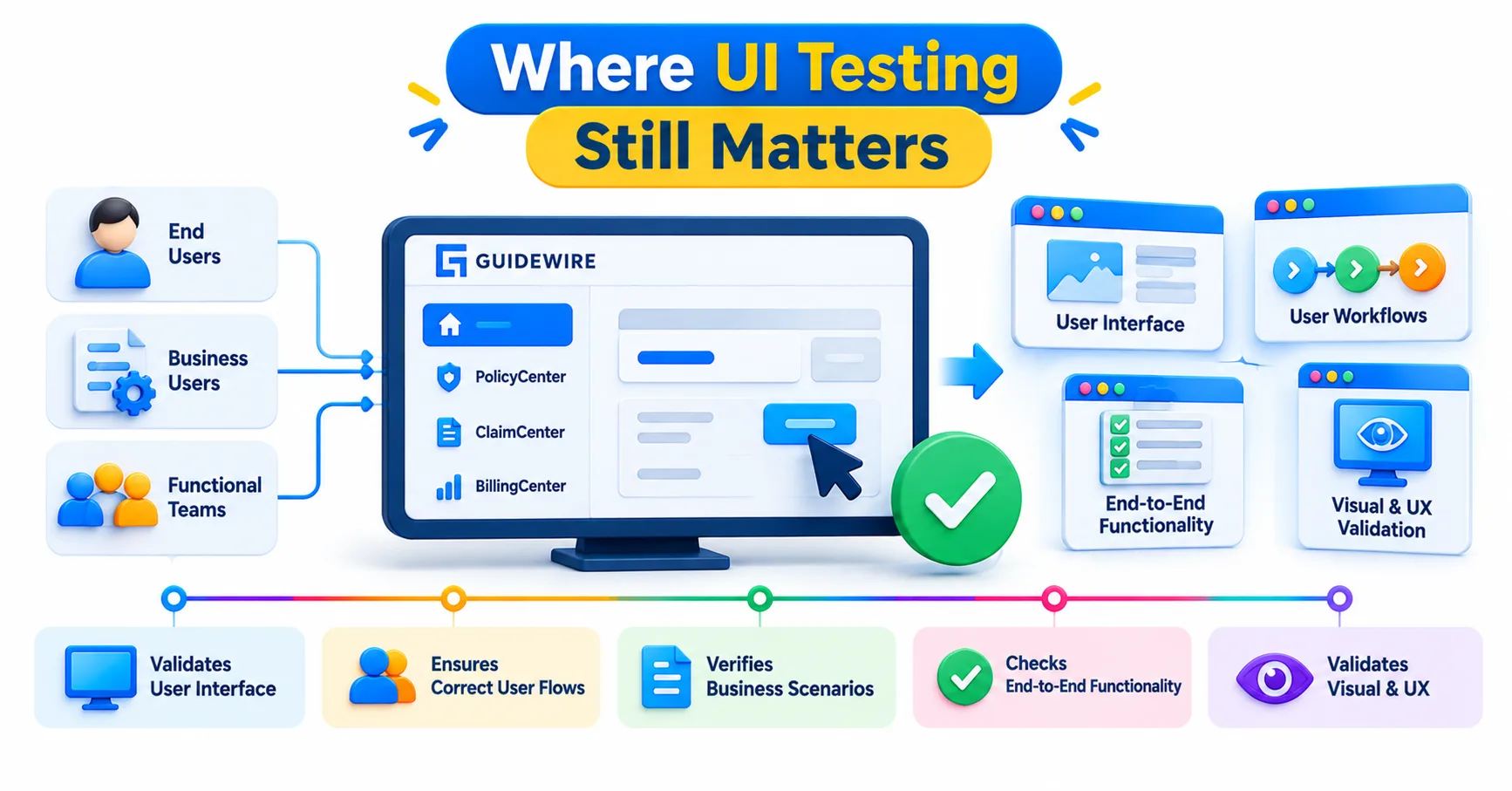
If APIs are faster and steadier, why keep UI tests at all? Because users do not call APIs. Adjusters, underwriters and billing staff work through screens, and a correct backend can still ship a broken experience.
Real UI defects look like this: a required field that is not marked required, a dropdown that shows the wrong typelist values, a button that stays enabled when it should be disabled, or a wizard page that loses entered data when the user goes back. None of these would show up in an API response.
UI tests are also the right place to check role-based behavior. A claims supervisor and a junior adjuster may see different actions on the same claim, and that difference is configured in the interface layer. For newer digital front ends built with Jutro, UI tests confirm that the components, validations and navigation work together.
The catch is cost. UI tests take longer to write, longer to run and more effort to maintain. Treat them as a thin, carefully chosen layer over the application, not as the main safety net.
The Testing Pyramid Applied to InsuranceSuite
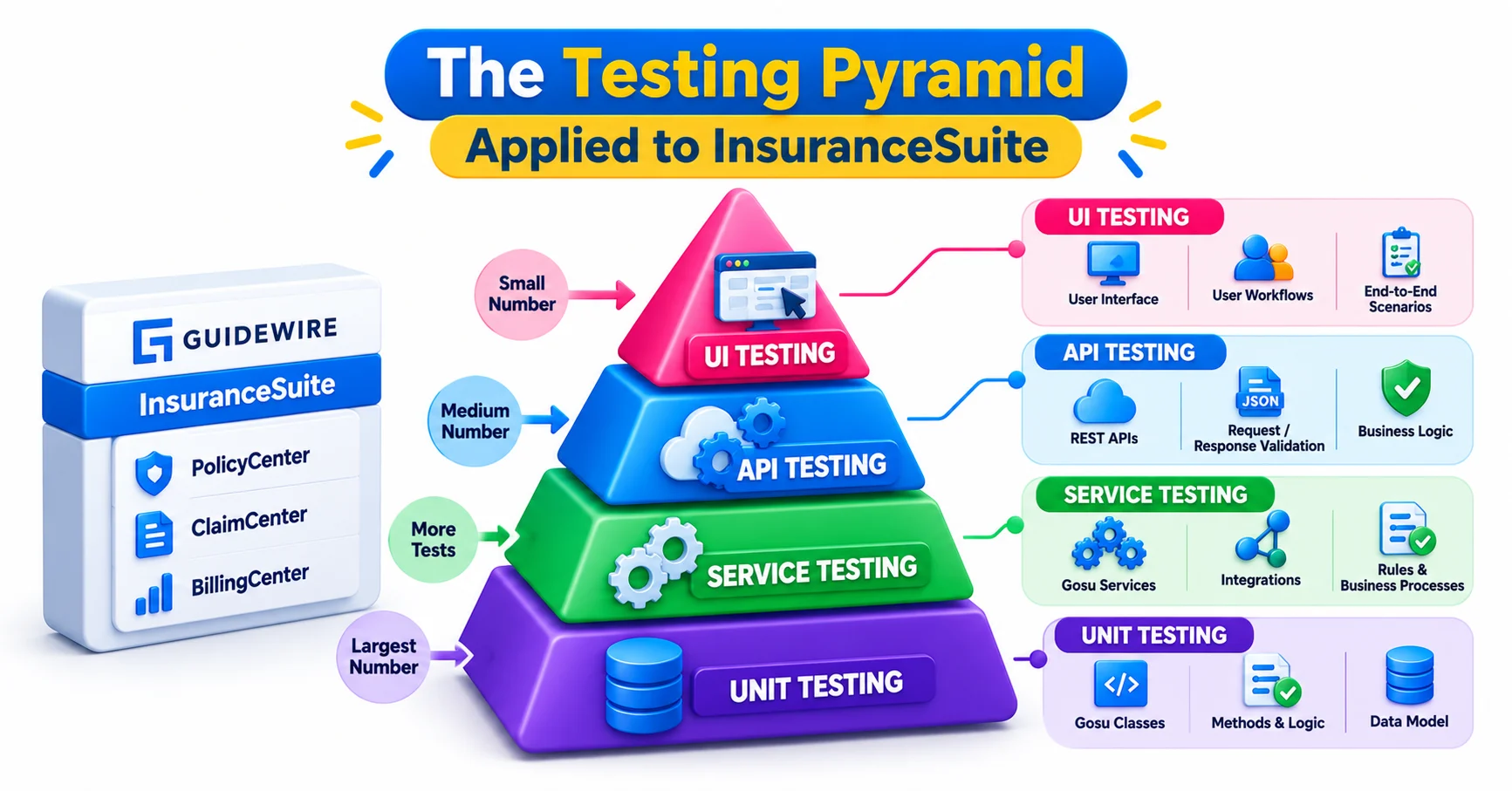
Most mature teams settle on a pyramid. Many fast, low-level tests sit at the base, fewer API tests in the middle, and a small number of end-to-end UI tests at the top.
In a Guidewire context, the base is made of Gosu unit tests that check rules, calculations and enhancements in isolation. The middle is API testing, covering business flows through Cloud API calls and integration points. The top is UI testing, limited to the journeys that matter most: submit a policy, file a claim, take a payment.
A common beginner mistake is inverting the pyramid. A team automates hundreds of UI scenarios because they mirror what manual testers already do, then spends every sprint repairing broken scripts. Another mistake is the opposite one, trusting API results alone and releasing a screen nobody has looked at.
A useful rule of thumb: if the question is “does the system calculate or decide correctly?”, test it through the API. If the question is “can a person complete this task?”, test it through the UI.
Combining Both in One End-to-End Scenario
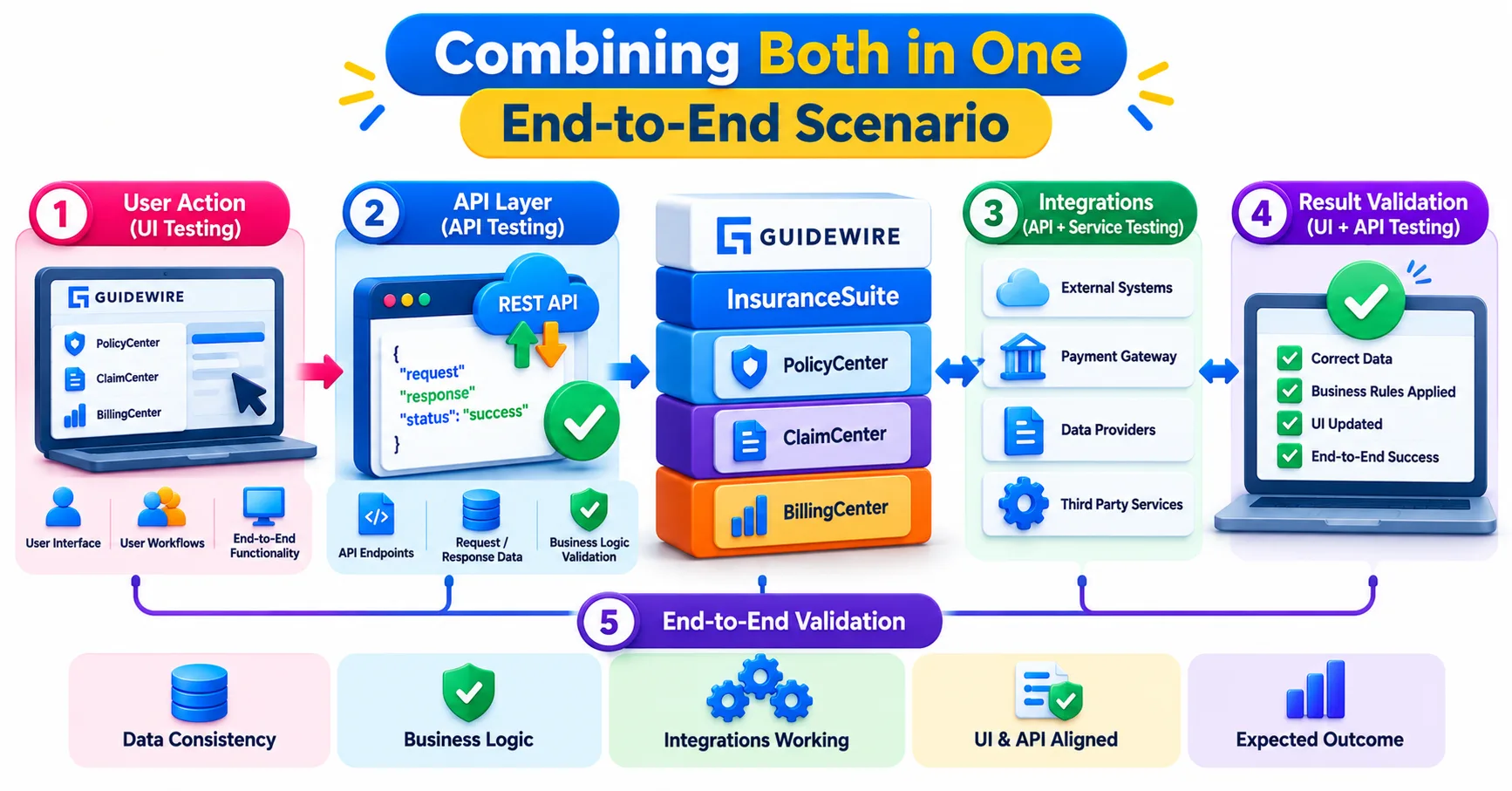
The strongest test suites do not treat the two as rivals. They chain them.
Picture a hypothetical end-to-end scenario for a personal auto policy. An API step creates the account and a submission with a known risk profile. Another API step quotes and binds the policy, and the test asserts on premium and status in the response. Then a UI test logs in as a billing user, opens that account and checks that the invoice appears with the correct due date and layout.
Each layer does what it is best at. The API handles setup and logic checks quickly, and the UI confirms what a person would actually see. If the UI step fails, you already know the data was correct, so the investigation narrows immediately.
Behavior-driven scenarios make this readable for non-programmers. A business analyst can review a plain-language scenario such as “given a bound policy, when a payment is missed, then a cancellation notice is generated” and confirm that it matches the requirement, without reading any code. That is one reason Guidewire’s framework leans on Gherkin-style writing.
Choosing a Starting Point and Building the Right Skills
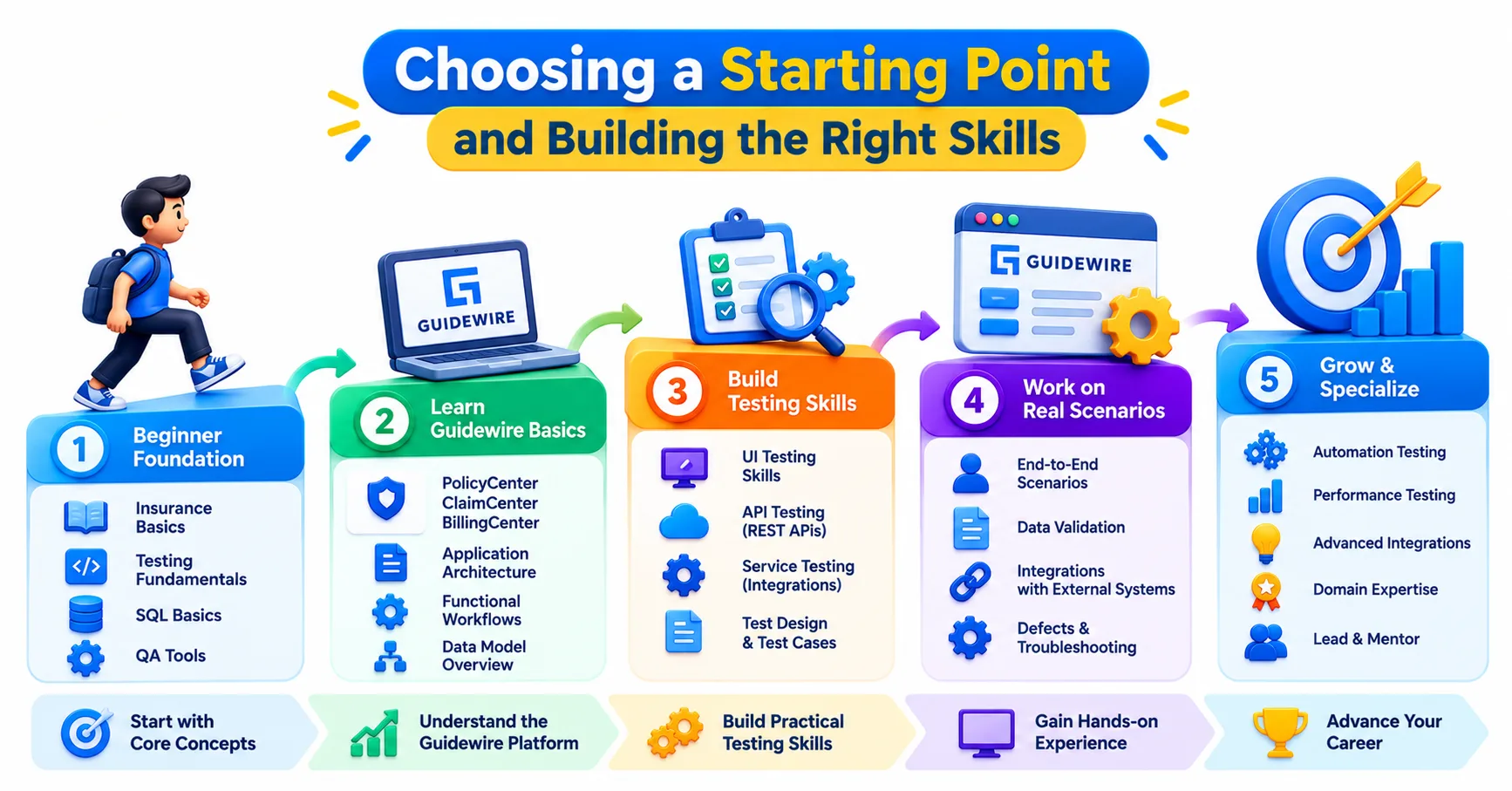
If you are new to Guidewire QA, begin with APIs. They teach you the data model, the lifecycle of policies and claims, and how the applications communicate, all without the noise of browser automation. Learn HTTP methods, JSON structure, authentication and how to read an error response. Then add UI automation for the handful of journeys that deserve it.
Interviewers tend to probe this balance. Expect questions such as when you would choose an API check over a UI check, how you manage test data, and how you keep automated tests from becoming flaky. Answers that use a concrete example, like the policy-bind scenario above, stand out.
Structured, hands-on practice helps here, because the concepts only click when you work against a real InsuranceSuite environment. Learners exploring Guidewire training in Hyderabad through JastTech will find that testing sits alongside configuration and integration topics, which is how it works on real projects.
Conclusion
Guidewire API testing vs UI testing is not a contest. APIs verify that the system decides and stores things correctly, and the UI verifies that people can actually use it. A team that tests the right question at the right layer ships faster and breaks less.