

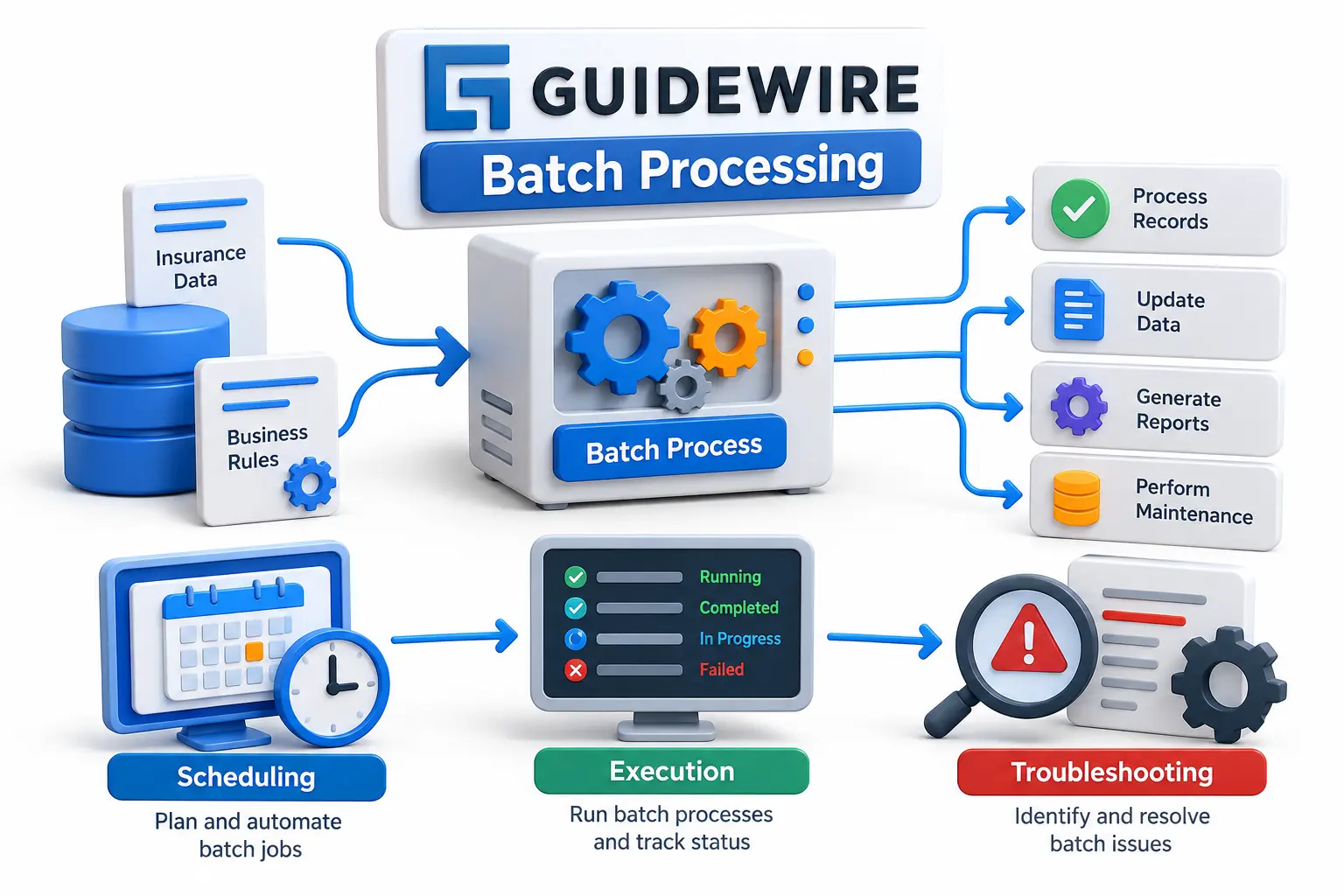
What is Guidewire Batch Processing? Complete Guide to Execution, Scheduling, and Troubleshooting
Navigate through this article using the table of contents below
Table of Contents
No headings found in this article.
A Guidewire application may appear quiet after users finish their work, but important processing can still be happening behind the scenes. Large volumes of insurance data must be evaluated, updated, cleaned, escalated, archived, or prepared without forcing users to wait for every operation.
That is where batch processing becomes important. Understanding it is not simply about knowing how to start a job. Developers need to understand what triggers the process, where the work executes, how scheduling affects production, what monitoring reveals, and how to investigate failures without guessing.
Understand What Batch Processing Actually Does in Guidewire
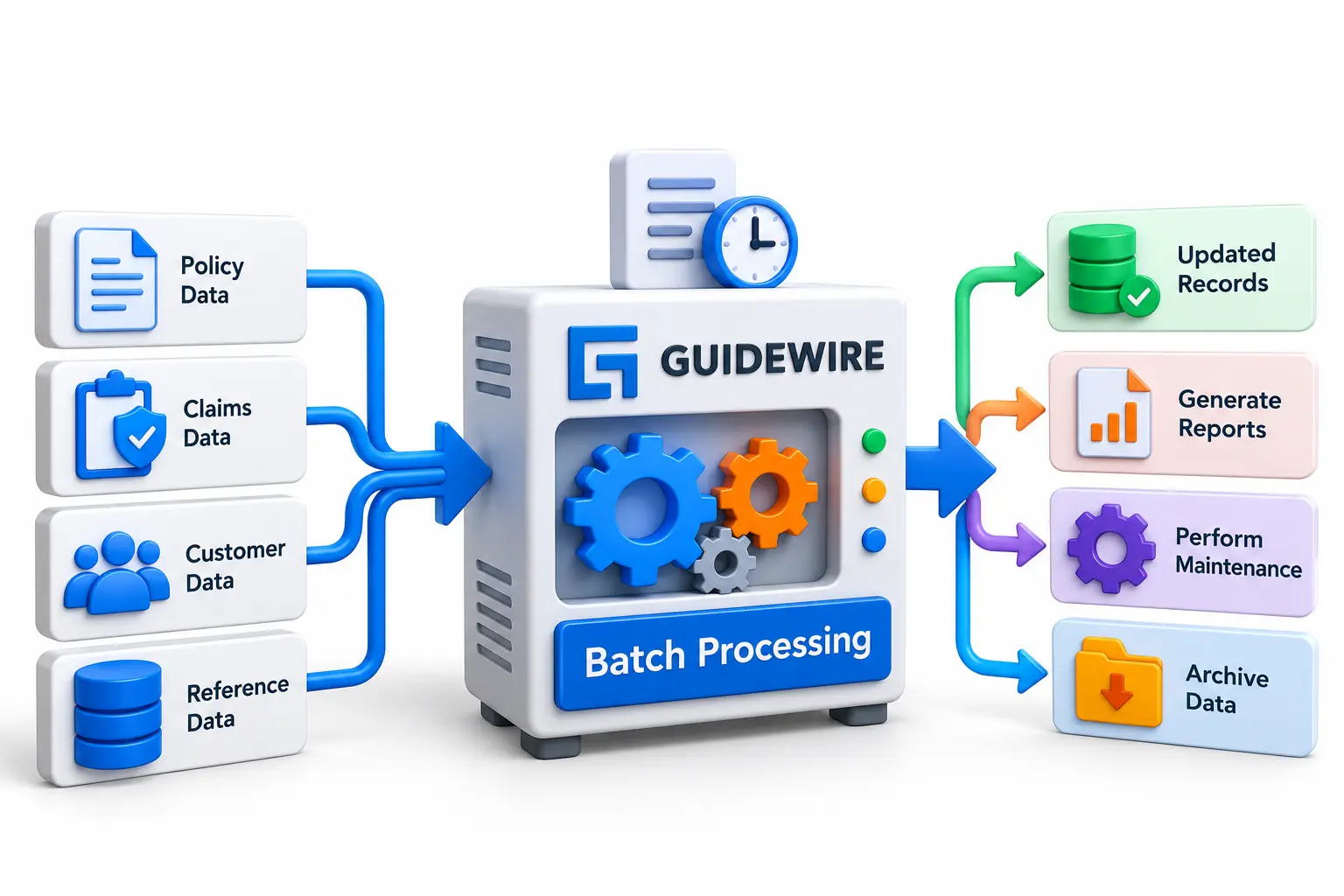
A batch process is a background operation designed to perform work that does not need to happen directly inside a user's interactive transaction. Instead of making an employee wait while thousands of records are processed, Guidewire can execute suitable operations separately as background work.
This pattern becomes particularly valuable when an operation involves a large dataset or must run periodically. Depending on the application and configuration, examples can include maintenance, escalation, purge-related processing and other business or system operations.
The basic concept can be visualized as:
Business or system requirement → Batch process → Find eligible data → Execute work → Record status/results
This separation helps applications handle operational workloads without turning every large task into an interactive user request. However, batch processing is not automatically fast simply because it happens in the background. Query design, transaction size, concurrency, database activity and the amount of work all influence execution.
Follow the Execution Flow Instead of Treating It Like a Black Box
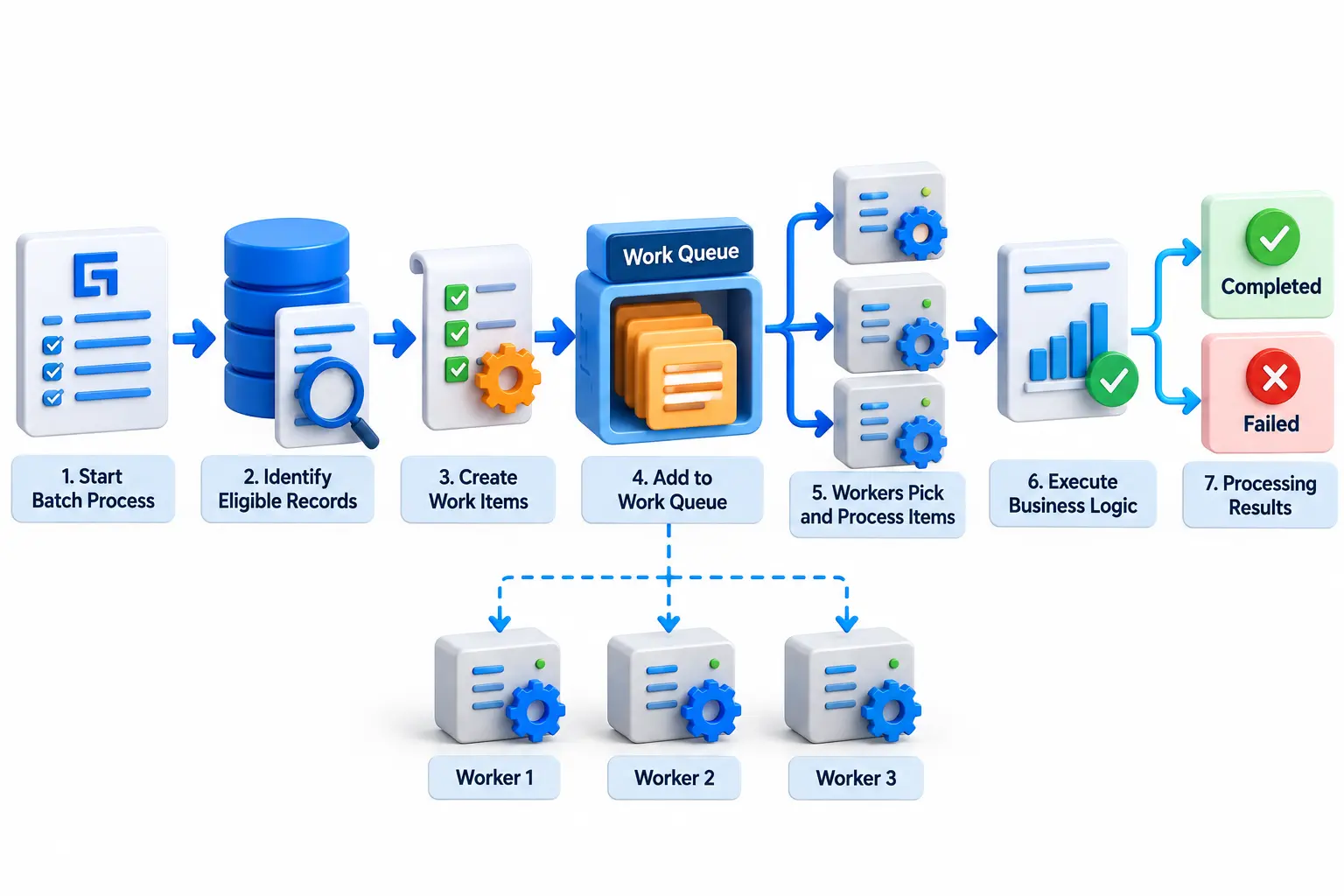
When troubleshooting a batch process, developers should understand its lifecycle rather than viewing it as one mysterious job. A process is initiated, its execution is tracked, relevant records are identified, work is performed, and completion or failure information becomes available for monitoring.
An important distinction is whether the process performs its work directly or uses a distributed work pattern. A work queue can divide a larger workload into individual work items that executors can process. This is useful when a task benefits from controlled parallelism and scalable background processing.
A simplified distributed flow looks like this:
Batch process begins
Eligible targets are identified
Work items are generated
Worker processes take available items
Business logic executes
Successful and failed operations are tracked
Processing eventually completes or requires intervention
This is one reason learning Guidewire Batch concepts should go beyond memorizing screens or configuration names. Developers need to understand the relationship between the batch process, work items, executors, application logic and database transactions to diagnose real production behavior.
Schedule Batch Jobs Around Business and System Dependencies
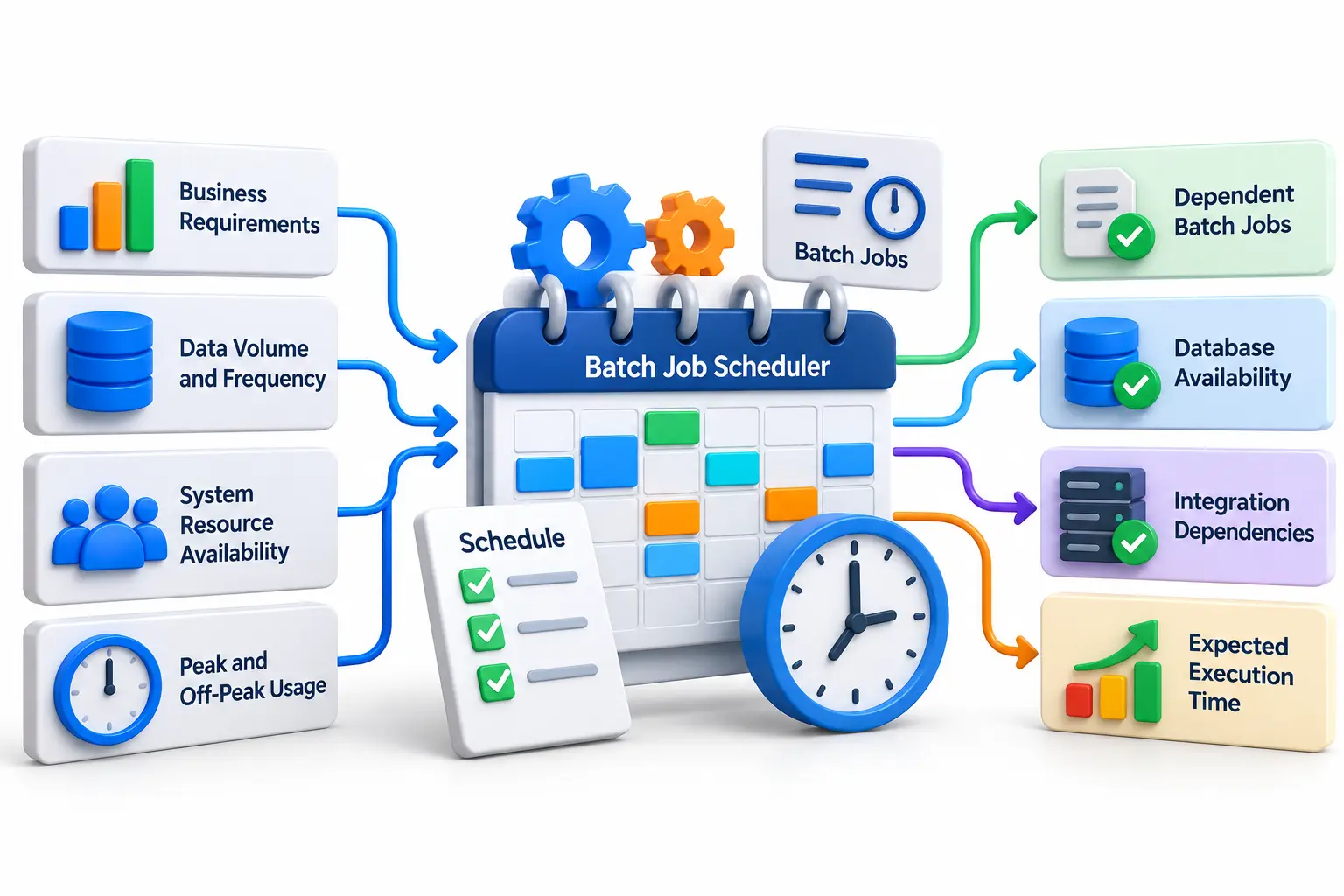
Scheduling answers more than the question, “At what time should this run?” A production schedule should consider how often the underlying business data changes, how much work is expected, what other processes depend on the result, and what system resources are available during that period.
For example, running several database-intensive processes simultaneously can create unnecessary competition for resources. A process that produces information required by another operation may also need to finish first. Scheduling therefore becomes part of application architecture and production operations rather than a simple clock setting.
A good scheduling review considers:
Required execution frequency
Expected record volume
Dependencies between jobs
Peak and off-peak application usage
Database and infrastructure load
Typical execution duration
Failure and restart strategy
Operational monitoring requirements
Guidewire also supports management of batch processes through Cloud APIs in current InsuranceSuite Cloud documentation, including retrieving status and starting or stopping supported processes. This creates opportunities for controlled external orchestration where appropriate, but teams still need clear ownership, access controls and monitoring around automation.
Monitor the Right Signals Before Calling a Batch Job Successful
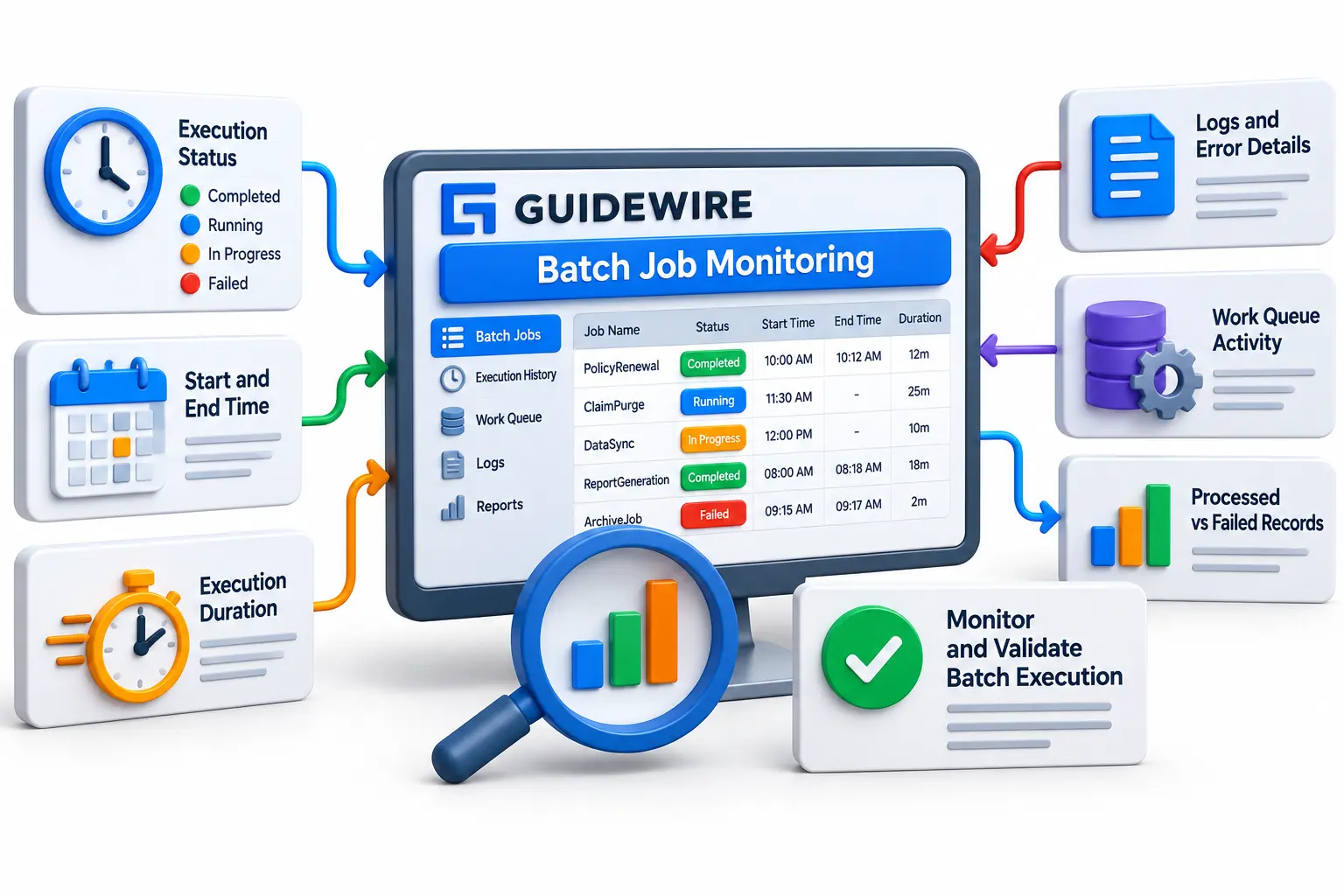
A process showing “completed” should not be the only definition of success. Developers and support teams should determine whether the expected business work actually occurred, whether failures were recorded, how long processing took, and whether distributed workers behaved as expected.
Useful observations include execution start and completion times, completed operations, failed operations, server information and work-queue activity where applicable. Trends are often more useful than one isolated execution. A job that normally takes 15 minutes but gradually increases toward an hour deserves investigation even if it continues to complete.
For engineers taking Guidewire Training in India, this operational perspective is especially valuable because project work extends beyond writing Gosu code. A developer may need to explain why a batch is slow, identify whether a problem belongs to application logic or infrastructure, and provide evidence before changing configuration.
JastTech can reinforce this through practical exercises where learners trace batch execution, inspect logs and statuses, understand work-item behavior, and troubleshoot controlled failures. That approach develops reasoning skills rather than limiting learning to definitions and interview questions.
Troubleshoot Batch Failures With Evidence, Not Guesswork
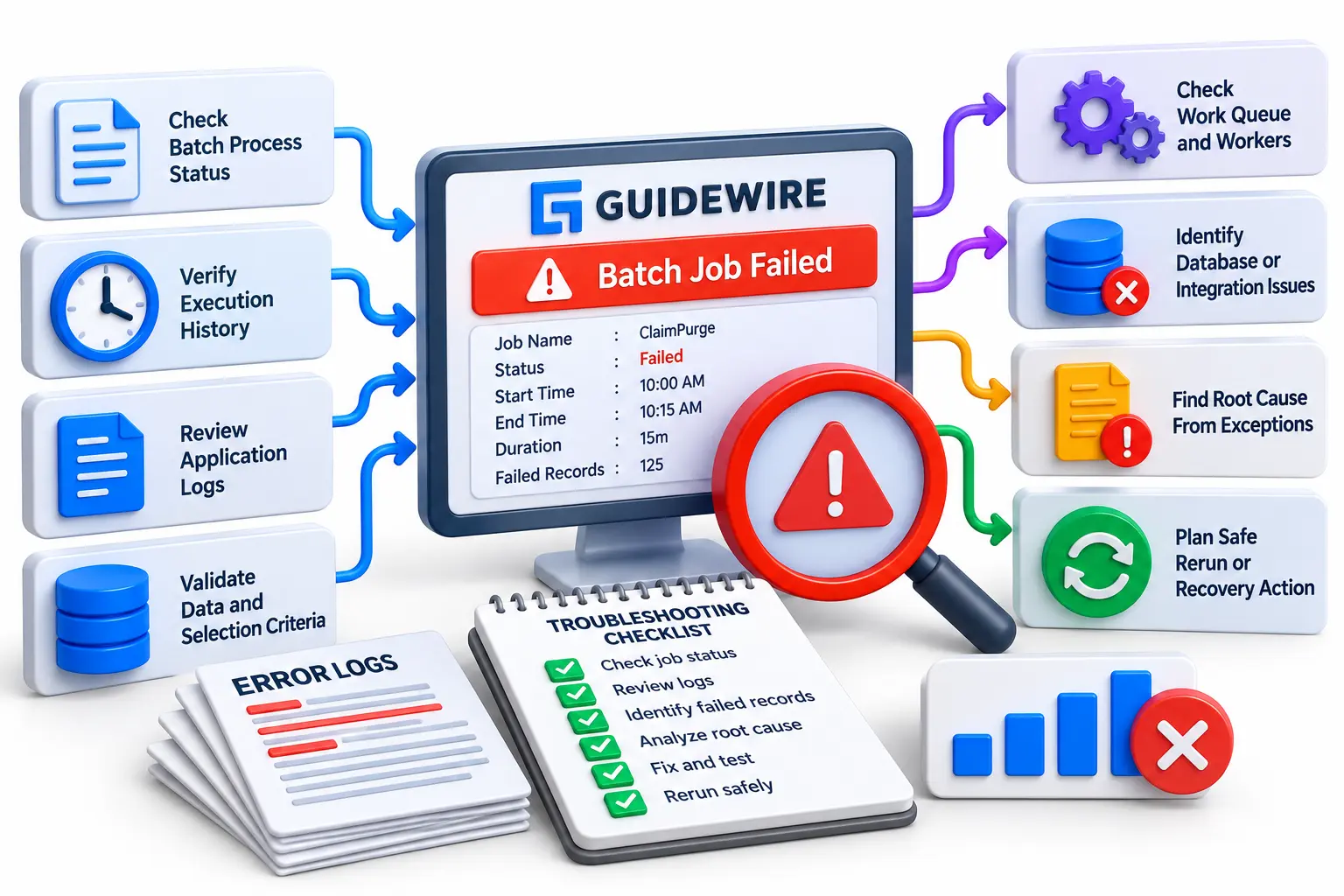
The fastest troubleshooting usually starts by identifying exactly where execution stopped. “The batch failed” is too broad. Determine whether the process failed to start, started but found no eligible data, created work that was not processed, encountered exceptions during execution, became unusually slow, or completed without producing the expected business result.
A practical investigation sequence is:
Confirm the correct process was triggered
Check its current and previous execution status
Compare start time, completion time and duration
Review failed-operation indicators
Inspect relevant application logs
Identify the first meaningful exception
Check work items and executors for distributed processing
Validate the affected records and selection criteria
Review database or integration dependencies
Reproduce safely in a lower environment when possible
Avoid restarting a failed process repeatedly without understanding its behavior. If some records were already committed, careless reruns can create additional operational problems depending on how the process is designed. Developers should understand transaction boundaries, retry behavior and whether processing is safely repeatable before choosing a recovery action.
Design Batch Processing for Performance and Production Reliability
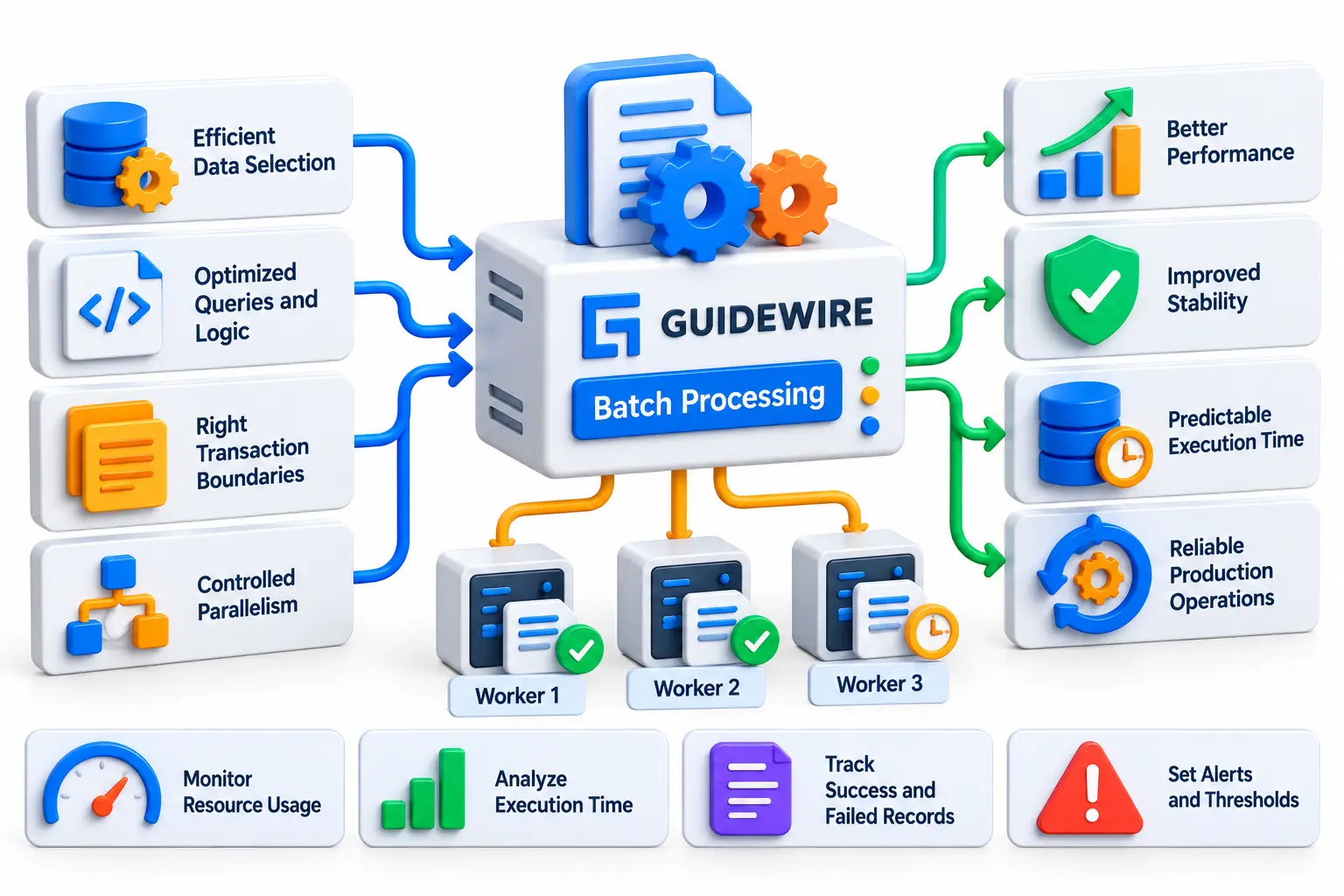
Performance problems often begin with design decisions rather than with the scheduler. A batch that repeatedly scans excessive data, loads unnecessary objects or performs inefficient operations can become increasingly expensive as production data grows.
Developers should think about selection criteria, query efficiency, transaction boundaries, work-item size and safe parallelism. More workers do not automatically mean better performance. Increased concurrency can place additional pressure on the database or downstream integrations, so changes should be measured under realistic workloads.
Good production practices include keeping processing focused, making failures observable, avoiding unnecessary work and capturing enough diagnostic information for support teams. Performance testing should also use realistic data volumes whenever possible; a process that looks excellent with a few thousand development records may behave very differently against production-scale data.
The best batch implementation is therefore not simply one that finishes. It should finish predictably, produce the correct business result, expose meaningful operational information, recover safely from expected problems and remain manageable as data volume grows.
Conclusion
Guidewire batch processing connects application logic with production operations. Once developers understand the complete path—from initiation and scheduling to work execution, monitoring and completion—batch jobs become much easier to reason about. Work queues, status information and logs then become parts of one execution model rather than disconnected technical concepts.
For beginners, the best learning path is to build a small process, observe its lifecycle, deliberately introduce controlled failures and investigate what happens. Combining development knowledge with monitoring and troubleshooting prepares a Guidewire engineer for the problems that appear in real insurance implementations, where reliability matters as much as writing code.